

Stock API OHLC Data Explained: What Do Open, High, Low, and Close Fields Represent?
Learn what Open, High, Low, and Close mean in stock API data, how OHLC candlesticks work, and how to validate prices, timestamps, and historical data for reliable stock charts.
When integrating a stock API into a financial application, one of the first challenges is understanding the price data returned by the interface. A response may contain several price fields, but how should each value be interpreted? And how can you make sure the data is mapped correctly before displaying it in a chart?
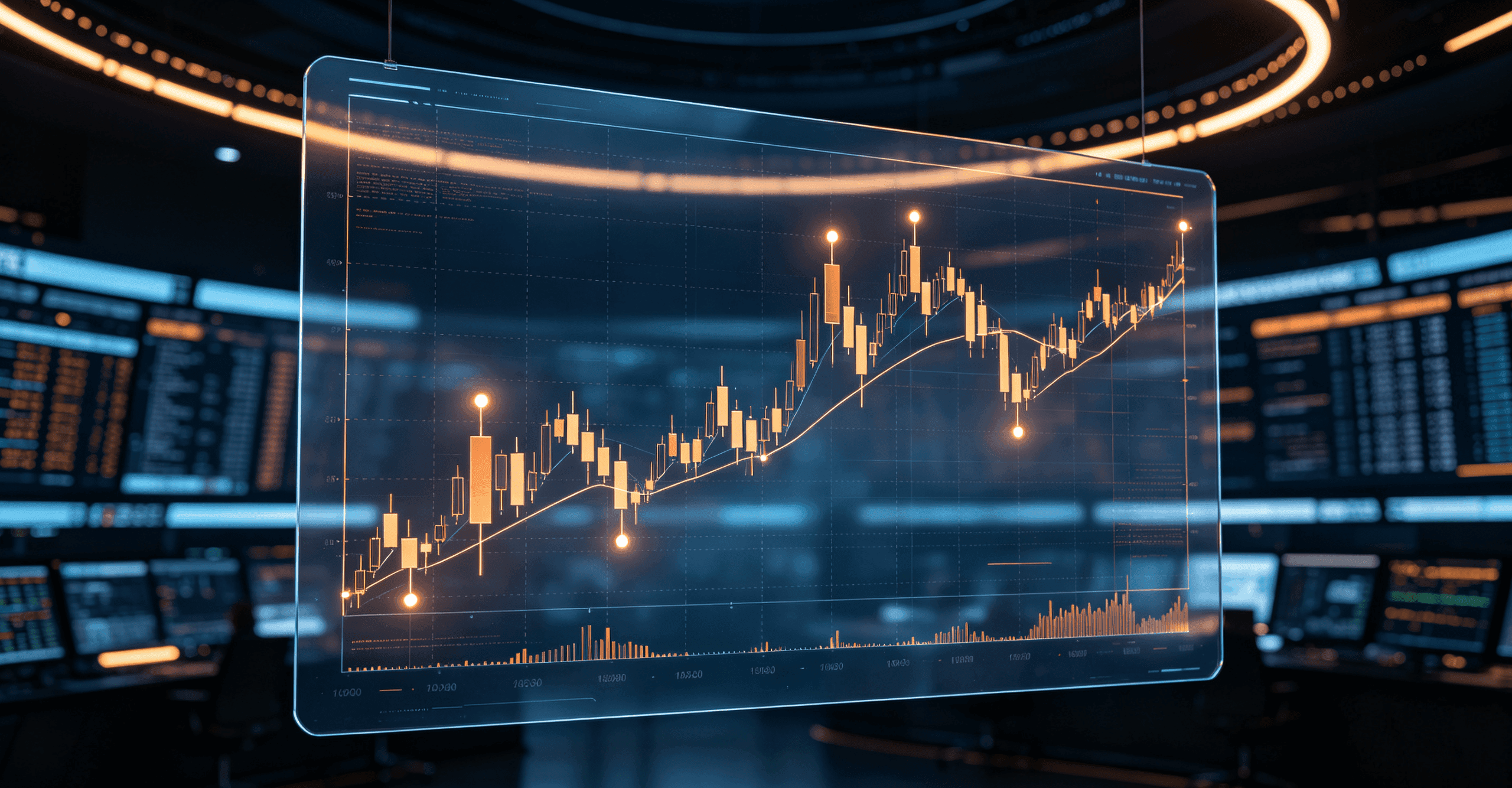
OHLC stands for Open, High, Low, and Close. These four values summarize price movement over a defined time interval and form the core of a candlestick chart. For fintech developers building market dashboards, investment tools, or stock charting features, understanding OHLC data is essential to getting the data layer right.
This guide explains what each field means, how to read a complete OHLC record, and how to validate the data before using it in a financial application.
What Is OHLC Data in a Stock API?
OHLC data represents four price observations within a specified interval. That interval could be one minute, five minutes, one hour, or one trading day, depending on the data requested.
Instead of displaying every individual trade, a market data system can aggregate eligible trades within an interval into a single candlestick record. The record preserves the opening price, highest price, lowest price, and closing price for that period.
| Field | Meaning | Common development use |
|---|---|---|
| Open | Opening price for the interval | Candle direction and opening-gap calculations |
| High | Highest qualifying traded price in the interval | Price-range analysis and threshold monitoring |
| Low | Lowest qualifying traded price in the interval | Downside-range analysis and chart rendering |
| Close | Closing price for the interval | Historical returns and technical indicators |
| Volume | Trading quantity reported for the interval | Volume charts and activity analysis |
| Timestamp | Time identifier associated with the record | Sorting, interval alignment, and chart positioning |
The exact meaning of a candle's opening price, its timestamp convention, and its volume field can vary by provider and instrument. Before combining data from multiple sources, check their definitions rather than assuming the fields are interchangeable.
A Practical OHLC Example
Consider this hypothetical five-minute candle after its fields have been normalized by an application:
{
  "symbol": "EXAMPLE.US",
  "timestamp": "2026-10-09T14:30:00Z",
  "open": 125.30,
  "high": 128.60,
  "low": 124.80,
  "close": 127.90,
  "volume": 356800
}
This is an illustrative application-level record, not a live API response or a representation of AllTick's exact response schema. The symbol and volume are also hypothetical.
Here's what the values tell you:
- Open: 125.30. The first qualifying trade in the interval was recorded at this price.
- High: 128.60. The price reached this level at its highest point during the interval.
- Low: 124.80. The price reached this level at its lowest point.
- Close: 127.90. The last qualifying trade in the interval was recorded at this price.
- Volume: 356,800. The record reports this amount of trading activity, subject to the provider's volume definition.
Because Close is greater than Open, the candle shows a net price increase over the interval. It does not mean the price rose continuously: the High and Low show that the price moved in both directions before the candle ended.
What Does Each OHLC Field Tell You?
1.Open: The Starting Price of an Interval
Open represents the opening price associated with a particular candle. For an intraday candle, it is generally the first qualifying traded price in that interval. For daily data, the definition may depend on the exchange's opening process and the provider's methodology.
Suppose the previous trading session closed at 100.00 and the next session opened at 104.00. The gap relative to the previous close is:
[
\text{Gap %}=\frac{104-100}{100}\times100=4%
]
The result shows a 4% upward gap between the two reference prices. It does not, by itself, explain why the price changed or predict what will happen next.
For developers, Open is useful when rendering candle bodies, calculating opening gaps, or comparing price behavior across intervals.
One implementation detail matters here: the first record received by your application is not necessarily the official opening price. The feed could have connected late, or the requested historical range might begin partway through a trading session. Check the period boundaries and the provider's definition before treating a value as a session open.
2. High: The Highest Price Reached During the Interval
High represents the highest qualifying traded price recorded within the candle's interval. It defines the upper boundary of the observed price range.
For example, a candle with Open at 100.00, High at 108.00, Low at 98.00, and Close at 105.00 shows that the price reached 108.00 before the interval ended.
Developers use High to render the upper wick of a candlestick, measure the price range, and monitor whether a price crosses a specified threshold.
However, High should not be interpreted as direct evidence of buying pressure. It only records the highest qualifying price. Understanding the activity behind that price move may require volume, individual trade records, or order-book information.
3. Low: The Lowest Price Reached During the Interval
Low represents the lowest qualifying traded price within the same period. Together, High and Low establish the candle's full price range.
In the previous example, Low is 98.00 even though the candle closes at 105.00. This means the price moved down to 98.00 before finishing the interval at a higher level.
For charting systems, Low defines the bottom of the wick. It can also be used to calculate price ranges and monitor predefined price thresholds.
A single Low does not automatically identify a reliable support level. That conclusion requires additional observations and a clearly defined analytical method. For data integration, the important point is that Low records an observed extreme, not a forecast.
4. Close: The Ending Price of the Interval
Close is the last qualifying traded price recorded for a particular candle interval. It is commonly used in historical analysis because each completed candle provides a reference point for comparing price behavior over time.
For example, a simple 20-period moving average is calculated from the closing prices of 20 consecutive candles:
[
MA_{20}=\frac{1}{20}\sum_{i=1}^{20}Close_i
]
A moving average based on 20 daily candles represents a different time horizon from one based on 20 five-minute candles. The interval must therefore be part of the data model, not just a chart display setting.
There is also an important distinction between Close and the latest market price. While a candle is still forming, its current close may change as new eligible trades arrive. The latest price can also differ from the close of the most recently completed candle.
If your application displays historical candlesticks alongside live market prices, keep these concepts separate. Otherwise, users may mistake an updating price for a finalized historical value.
How to Read an OHLC Candlestick
A candlestick chart converts each OHLC record into a visual representation of the price movement during that interval.
The candle body connects Open and Close. The upper wick extends toward High, while the lower wick extends toward Low. Charting libraries commonly use different colors to distinguish candles whose closing price is above their opening price from candles whose closing price is below it.
For developers, accurate field mapping is essential. If High and Low are reversed, for example, the chart may display an invalid candle or produce misleading results in downstream calculations.
Three basic relationships help identify inconsistent OHLC records:
- High must be greater than or equal to both Open and Close.
- Low must be less than or equal to both Open and Close.
- High must be greater than or equal to Low.
These rules are useful for validation, but they do not establish that a record is complete or accurate against the original market data. Timestamp, symbol, interval, and source consistency must be checked separately.
How to Validate OHLC Data Before Using It
A JSON response can be syntactically valid and still contain data that should not be passed directly to a chart. For a financial application, validation should be part of the data-ingestion process rather than an afterthought.
Step 1: Check Required Fields
Confirm that the record contains the price fields your application needs. If the chart also depends on a symbol, timestamp, or volume, validate those fields according to the application's data model.
Do not silently replace missing prices with zero. A zero may be treated as a genuine number by charting libraries or calculations, creating misleading output. Instead, flag the record and follow a documented policy for missing data.
Step 2: Validate the Price Relationships
The following JavaScript function checks whether the four price fields are present, numeric, and consistent with basic OHLC relationships.
function validateOHLC(candle) {
  if (!candle || typeof candle !== "object") {
    return {
      valid: false,
      reason: "Invalid candle record"
    };
  }

  const fields = ["open", "high", "low", "close"];
  const values = {};

  for (const field of fields) {
    const raw = candle[field];

    if (
      raw === null ||
      raw === undefined ||
      (typeof raw === "string" && raw.trim() === "")
    ) {
      return {
        valid: false,
        reason: `Missing ${field}`
      };
    }

    const value = Number(raw);

    if (!Number.isFinite(value)) {
      return {
        valid: false,
        reason: `Invalid ${field}`
      };
    }

    values[field] = value;
  }

  const { open, high, low, close } = values;

  if (high < Math.max(open, close)) {
    return {
      valid: false,
      reason: "High is below Open or Close"
    };
  }

  if (low > Math.min(open, close)) {
    return {
      valid: false,
      reason: "Low is above Open or Close"
    };
  }

  if (high < low) {
    return {
      valid: false,
      reason: "High is below Low"
    };
  }

  return {
    valid: true,
    reason: null
  };
}

const result = validateOHLC({
  open: 125.30,
  high: 128.60,
  low: 124.80,
  close: 127.90
});

console.log(result);
// { valid: true, reason: null }
This example checks price-field consistency only. It does not establish that the timestamp, symbol, volume, or source data is correct.
For production systems, consider using decimal arithmetic or scaled integers where appropriate. Binary floating-point representation can introduce precision differences in some calculations, especially when prices have multiple decimal places.
Step 3: Check Timestamps and Candle Ordering
Timestamp handling is another common source of charting errors. Before using the records, confirm:
- Timestamp units. Determine whether the source uses seconds, milliseconds, or another format.
- Timezone convention. Normalize timestamps consistently, usually to UTC internally, and convert them for display when needed.
- Interval boundaries. Confirm whether a timestamp identifies the beginning or end of a candle.
- Chronological order. Sort records by timestamp and check for duplicate records.
- Expected gaps. Compare apparent gaps with trading sessions, holidays, and the provider's documented behavior.
Not every missing candle indicates an API failure. A market may be closed, or an interval may contain no qualifying trades. Inserting artificial candles without considering these conditions can make a chart look continuous while changing the underlying data.
Step 4: Separate Completed Candles from the Active Candle
A historical candle and a currently forming candle should not necessarily be handled in the same way.
During an active interval, High may increase, Low may decrease, and Close may update. Once the interval is complete, the candle can be treated as a finalized historical record, subject to any corrections or update policies described by the provider.
If your application combines historical REST responses with streaming updates, define how it reconciles the two data flows. A common approach is to use historical candles to initialize the chart and then update the active interval as new market data arrives.
You should also decide how to handle reconnects, duplicate updates, and events received out of order. These rules help prevent a reconnect or delayed event from overwriting a newer candle with stale values.
Step 5: Confirm the Price-Adjustment Convention
Historical stock prices can be represented as raw prices or adjusted prices, depending on the source and endpoint. Corporate actions such as stock splits can affect comparisons across dates, and dividend adjustments may also change a historical series.
Before calculating returns or comparing candles across long periods, establish whether the data is adjusted and whether the same convention is applied throughout the dataset.
Do not combine raw prices with adjusted prices without a deliberate transformation. The resulting series may contain artificial discontinuities or produce calculations that are difficult to interpret.
How to Use OHLC Data in a Stock Market Application
Once the data has been validated, OHLC records can support several common financial application features.
| Feature | How OHLC data is used | What to check |
|---|---|---|
| Candlestick charts | Maps Open, High, Low, and Close to each candle | Correct field mapping and timestamps |
| Moving averages | Calculates rolling averages from Close values | Consistent interval and chronological order |
| Price-change displays | Compares Open with Close | A clearly labeled calculation baseline |
| Range monitoring | Calculates High minus Low | Comparable candle intervals |
| Historical analysis | Builds a sequence of price observations | Missing data and adjustment conventions |
For example, the percentage change from Open to Close is:
[
\text{Intraperiod Change %}=\frac{Close-Open}{Open}\times100
]
This calculation measures the change within a candle. It is not the same as a return calculated from the previous candle's Close, so the two measures should not be presented as interchangeable.
OHLC data is sufficient for many charting and interval-based analysis tasks, but it does not preserve the exact sequence of trades within a candle. If an application needs individual transaction order, detailed bid-and-ask quotes, or order-book depth, additional data is required.
How AllTick Fits into an OHLC Integration Workflow
Once the application-side data model and validation rules are defined, the next step is to choose a market data source that supports the required instruments and intervals.
AllTick's REST API includes a single-instrument historical candlestick endpoint and a batch candlestick endpoint. According to its REST API launch announcement, the API uses the X-API-Key header for authentication. The announcement also lists the supported candlestick intervals and the per-request limit for the single-instrument endpoint.
For stock applications, the published announcement lists one-minute, five-minute, 15-minute, 30-minute, hourly, daily, weekly, and monthly candles; two-hour and four-hour candles are not supported for stocks. The single-instrument endpoint returns up to 500 candles per request. Verify current endpoint parameters and access constraints in the AllTick REST API documentation before implementation.
A practical integration workflow looks like this:
- Select the instrument and supported candle interval.
- Retrieve the required historical candles through the documented endpoint.
- Map the returned fields to the application's internal OHLC model.
- Validate price relationships, timestamps, and ordering.
- Render completed candles separately from live updates.
- Test session boundaries, missing records, and reconnect behavior before releasing the feature.
If you also need the latest quotes or order-book data, review the corresponding endpoint definitions rather than assuming that a historical candle contains those details. The REST API announcement lists latest quotes and market-depth queries as separate capabilities.
For implementation examples and endpoint details, start with the AllTick REST API documentation and the AllTick REST API code resources on GitHub. These resources provide a starting point for checking the request format and adapting it to your application's needs.
Common OHLC Data Mistakes to Avoid
Even when the field definitions are clear, several implementation mistakes can undermine the finished feature.
Treating the latest price as a completed candle's Close. The current market price can change before an interval ends. Keep the active candle and the last completed candle distinct.
Mixing candle frequencies. Five-minute and daily candles represent different time horizons. Make sure calculations compare records with compatible intervals.
Ignoring price adjustments. Confirm whether historical data is raw or adjusted before comparing prices across corporate actions.
Treating every timestamp gap as an error. Trading calendars and periods without qualifying transactions can explain missing intervals. Check the source's expected behavior before creating replacement records.
Using OHLC to infer unavailable details. A candle describes four price observations over an interval; it does not reveal every trade or the full order book. Use more granular market data when the application requires it.
Validating individual candles but ignoring the series. A candle can pass all price-relationship checks and still be duplicated, out of order, or associated with the wrong instrument. Validate the entire dataset as well as each record.
Frequently Asked Questions
What does OHLC stand for in a stock API?
OHLC stands for Open, High, Low, and Close. These fields describe the opening price, highest qualifying traded price, lowest qualifying traded price, and closing price for a defined interval, subject to the provider's data conventions.
Is OHLC data the same as candlestick data?
OHLC values are the core price inputs for a candlestick. A complete chart record commonly includes a timestamp and may include volume or other fields needed by the application.
Does Close always mean the latest stock price?
No. Close refers to the closing price associated with a particular interval. The price of an active candle may continue to change, and the latest market price may differ from the close of the most recently completed candle.
How can developers detect invalid OHLC records?
Check that all four price fields are present and numeric. Then verify that High is at least as large as Open and Close, Low is no greater than Open and Close, and High is not below Low. Timestamp, symbol, interval, and source consistency need separate checks.
Is OHLC data enough for every financial application?
No. OHLC data works well for candlestick charts and many historical calculations. Applications that require individual trades, bid-and-ask quotes, or order-book depth need additional market data.
Build More Reliable Stock Charts with Correct OHLC Data
Understanding Open, High, Low, and Close is the starting point for integrating stock market data into a financial application. A reliable implementation also requires consistent timestamp handling, clear interval definitions, price validation, and a documented approach to incomplete or missing records.
Before releasing a charting feature, define the data your application expects, verify the provider's response format, and test how historical candles interact with live updates. These steps make it easier to identify data-quality problems before they affect what users see.
Review the AllTick REST API documentation to check the available candlestick endpoints and determine whether their supported instruments, intervals, and request constraints fit your integration requirements.